
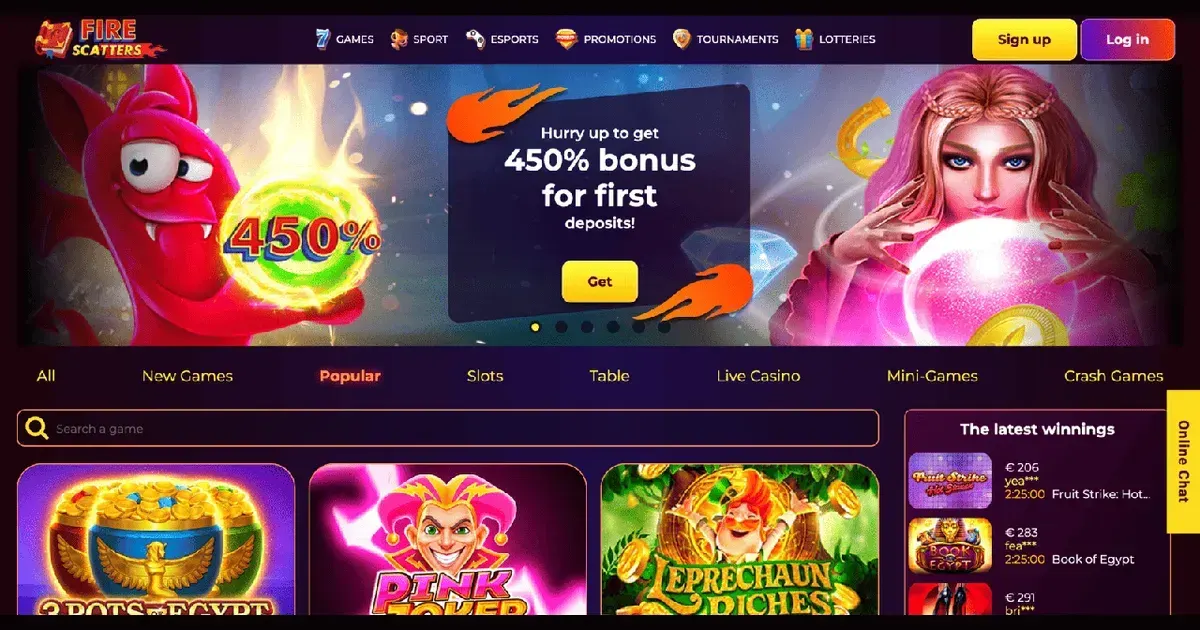
Firescatters runs entirely in a mobile browser – no app download required. You reach the same library, the same cashier and the same account you use on desktop, from any phone or tablet with an internet connection. That simplicity is the advantage; some features feel cramped on a small screen, and that trade-off is worth understanding before you play.
Before you play on mobile
Three checks settle most problems before they start. Use a secure connection – public WiFi exposes login details and payment data. Verify the address in your browser's bar: fire-scatters.org.uk, nothing else. Set deposit limits before the session, not during it – a device you carry everywhere makes impulse deposits easier, and the friction of opening the controls mid-session is what makes a limit work.
If someone else uses your phone, sign out when you finish. The browser remembers your session; leaving it open is leaving your balance open.
How access works here
Firescatters publishes no native iOS or Android application. Access is through the mobile web: open your phone's browser, enter the site address, and log in with the credentials you use on desktop. The interface adapts to the screen size automatically.
Getting started takes four steps:
- Open Safari, Chrome or your phone's default browser.
- Navigate to the operator's site address.
- Tap the account icon and enter your email and password.
- The lobby opens on the same library and balance you see on a laptop.
No separate registration exists for mobile – one account works across every device. A new player creates that account on the site itself, mobile or desktop, through the same registration form.
The cashier and support on a phone
Deposits and withdrawals on mobile follow the same methods, limits and processing times published for desktop. The cashier sits under the account menu; you select a method, enter an amount, and confirm. The operator supports MasterCard, Skrill, Neteller and Bitcoin for deposits, with Skrill, Neteller and bank transfer available for withdrawals.
| Limit | Amount |
|---|---|
| Daily withdrawal | 2,000 USD/EUR or 150,000 RUB |
| Weekly withdrawal | 10,000 USD/EUR or 700,000 RUB |
| Monthly withdrawal | 40,000 USD/EUR or 3,000,000 RUB |
Withdrawal requests exceeding 1,000 EUR trigger an identification procedure – you upload a passport or ID copy and a utility bill through the same account menu. The review window runs up to 36 hours for standard requests, and up to 72 hours for amounts above 1,000 EUR.
Support channels mirror desktop availability: online chat and email at [email protected], 24/7. The chat window opens from the menu icon; response quality stays the same, though typing a detailed question on a phone keyboard takes longer than it does on a laptop.
What gets cramped on a small screen
Browser play on mobile sacrifices layout space. Game filters collapse into a dropdown menu rather than a sidebar, so finding a specific title means more taps than it does on a wide screen. Live dealer tables render their video streams smaller, and seeing card values or roulette numbers clearly depends on the phone's screen size and the player's vision.
The terms and conditions page, the bonus policy and the responsible gambling section all load, but reading dense legal text on a 6-inch screen is harder than skimming it on desktop – and these are the documents that explain wagering caps, excluded games and withdrawal rules. A player accepting a bonus on mobile should read its terms on a larger screen first.
Multitasking suffers too. Switching between the casino and another app – a banking app to check a balance, a browser tab to verify an address – minimises the session, and some phones reload the page when you return. That reload is harmless for slots, but live dealer games may drop the connection and forfeit an active bet.
What a player can actually do on a phone
The game library opens in full: slots, table games, live dealer, video poker, and scratch cards all load in a mobile browser. Firescatters mentions Bonanza Billion, Wilds of Fortune, Aztec Sun Hold and Win, and others from its catalogue. Sports betting runs alongside the casino, with the same markets and odds available from the sportsbook menu.
Every account function that exists on desktop exists here: deposit, withdraw, upload verification documents, claim a bonus, contact support, and set a self-exclusion through the responsible gambling page. The 30-day self-exclusion applies across all devices once activated.
Game performance depends on the phone and the connection. Slots and table games load quickly on 4G or WiFi; live dealer streams need a stable connection to avoid buffering. Older phones may struggle with graphics-heavy titles, though that is device limitation rather than site design.
Playing responsibly on a device you always carry
A phone makes gambling as immediate as checking a message, and that convenience erases the natural pause desktop play imposes. Set deposit limits through the responsible gambling page before the urge to play arrives – the operator offers a 30-day self-exclusion, though deposit and loss limits are not listed.
If gambling ever stops feeling like entertainment, free and confidential help is available through GamCare (0808 8020 133, 24/7), BeGambleAware, and GamStop for national self-exclusion. Blocking software such as Gamban and BetBlocker (free, multi-platform) prevents access across all gambling sites, not just one operator.
Battery drain and screen time both accelerate during mobile play. A long session on a phone eats battery faster than casual browsing, and playing while the phone charges generates heat that shortens battery lifespan over time. Set a session timer or a balance threshold to avoid playing longer than intended.
Access to this site is restricted to persons aged 18 and over (18+). We want your play to stay enjoyable – for free, confidential support, visit BeGambleAware.org.